AI Video Real Estate Listings: Prompts and Shot Ideas
Learn how to generate real estate listing videos with AI prompts, shot ideas, camera angles, and practical workflows for property marketers.
By Qiroq team · Published
AI video real estate workflows allow agents, property marketers, and creators to generate polished promotional clips, architectural B-roll, and atmospheric property teasers directly from text descriptions. Instead of waiting for ideal weather or hiring a drone crew for simple concept shots, you can turn descriptive text into dynamic visual clips complete with matching background audio.
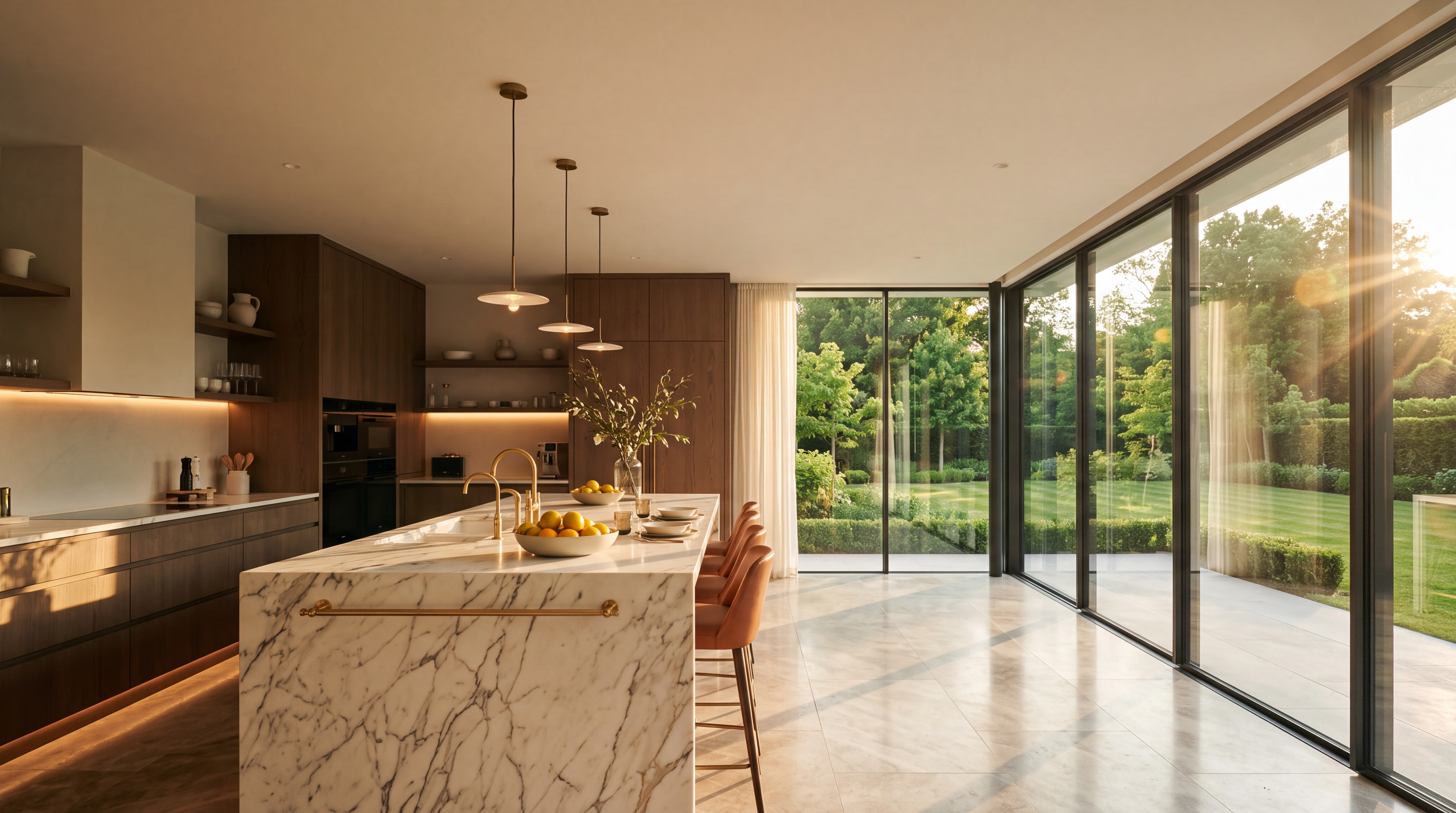
Whether you need high-end architectural teasers for social media or supplementary ambient clips for virtual property tours, text-to-video tools can generate short visual beats that elevate your production quality. Here is a practical guide to shot ideas, prompts, and best practices for creating real estate content with AI.
5 Core Shots for Every Property Video
Every compelling property listing relies on a rhythm of varied camera angles and focal lengths. When generating individual video clips, build your shot list around these five standard real estate perspectives:
- Exterior Curb Appeal: A smooth, slow tracking shot of the house exterior from the front lawn during golden hour or bright morning sun.
- The Living Area Reveal: A wide-angle camera movement moving past a doorway into an open-concept living room to show scale and natural light.
- Kitchen Focus: A slow horizontal pan across polished countertops, kitchen islands, and modern fixtures.
- Outdoor Living Ambiance: A gentle drift across a backyard patio, pool deck, or sunroom, capturing outdoor scenery and soft light.
- Architectural Detail: Close-up slider movements on high-end textures like hardwood floors, custom stonework, or designer lighting fixtures.
Ready-to-Use Real Estate AI Video Prompts
To get realistic textures, steady motion, and natural lighting, your prompts need specific spatial descriptions and camera directions. Select a cinematic or documentary visual style in your generator to ensure natural colors and realistic visual depth.
Here are tested prompt templates you can adapt for real estate clips:
Exterior Facade Drone Pan
Cinematic wide aerial drone shot flying slowly toward a contemporary luxury home with stone accent walls, manicured green lawn, and large glass windows under clear blue skies, ambient outdoor wind and birds chirping, smooth forward motion.
Open-Concept Kitchen Reveal
Cinematic smooth tracking shot moving laterally across a modern open-concept kitchen, white marble island, light hardwood floors, sunbeams entering through floor-to-ceiling windows, subtle ambient hum of a quiet home, warm color tone.
Evening Twilight Exterior
Cinematic low-angle slow pan of a modern villa at twilight, soft exterior landscape lighting illuminating stone pathways, deep blue twilight sky, quiet evening atmosphere with gentle rustling foliage.
Outdoor Patio and Pool Deck
Documentary style push-in shot of an outdoor backyard patio with comfortable lounge seating, stone pavers, pristine swimming pool in background, warm golden hour light, soft outdoor sound.
Working Around AI Video Limitations
While generative video excels at visual ambiance and camera movement, understanding its technical boundaries ensures your real estate clips look sharp and believable.
Generative models create clips in lengths of 5, 10 or 15 seconds. AI video is not intended to generate a single, continuous walkthrough shot of an entire house layout in one render. To showcase a full property, generate separate short clips for individual rooms or exterior angles, then sequence them in an editing application.
Additionally, avoid trying to render exact text, specific brokerage logos, or precise street address numbers directly inside the video frame. AI models are not designed for exact on-screen text or logos. Instead, add address overlays, pricing text, agent contact details, and branding graphics using standard video editing software after downloading your clips.
Finally, select the appropriate render quality for your distribution channel. Quick preview resolutions work well for rough storyboards, while high-definition renders are essential for YouTube uploads, property websites, and client presentations. You can review how resolution choices impact render speed and visual quality in our guide on choosing between 480p, 720p or 1080p resolutions.
How to Build a Real Estate Video Campaign
Integrating an AI video generator for business into your workflow speeds up content creation for upcoming property listings, open house announcements, and local neighborhood teasers.
- Write a 5-shot visual script: Outline the exterior, main living space, kitchen, outdoor space, and architectural detail shot.
- Draft descriptive text prompts: Include visual lighting details, room attributes, camera movement descriptors, and ambient audio cues.
- Generate your clips: Use a text-to-video tool to convert each prompt into a standalone high-definition render.
- Assemble and add branding: Import your clips into your video editor, add cross-dissolve transitions, place text overlays for price and location, and export the finished listing trailer.
By combining descriptive prompt writing with classic architectural camera movements, you can produce sleek real estate marketing videos quickly and consistently.