AI Video for Event Promotion: A Practical Guide
Learn how to use AI video for event promotion. Create launch teasers, ambient visuals, and social ads without expensive video shoots.
By Qiroq team · Published
Using AI video for event promotion gives marketers, event planners, and creators a fast, cost-effective way to produce eye-catching launch teasers, social media ads, and ambient background visuals. Instead of renting locations, hiring camera crews, or relying on overused stock footage months before an event, you can generate cinematic promotional clips directly from text descriptions. This guide breaks down how to plan, prompt, and combine AI clips into high-converting promo campaigns for conferences, product launches, workshops, and nightlife events.
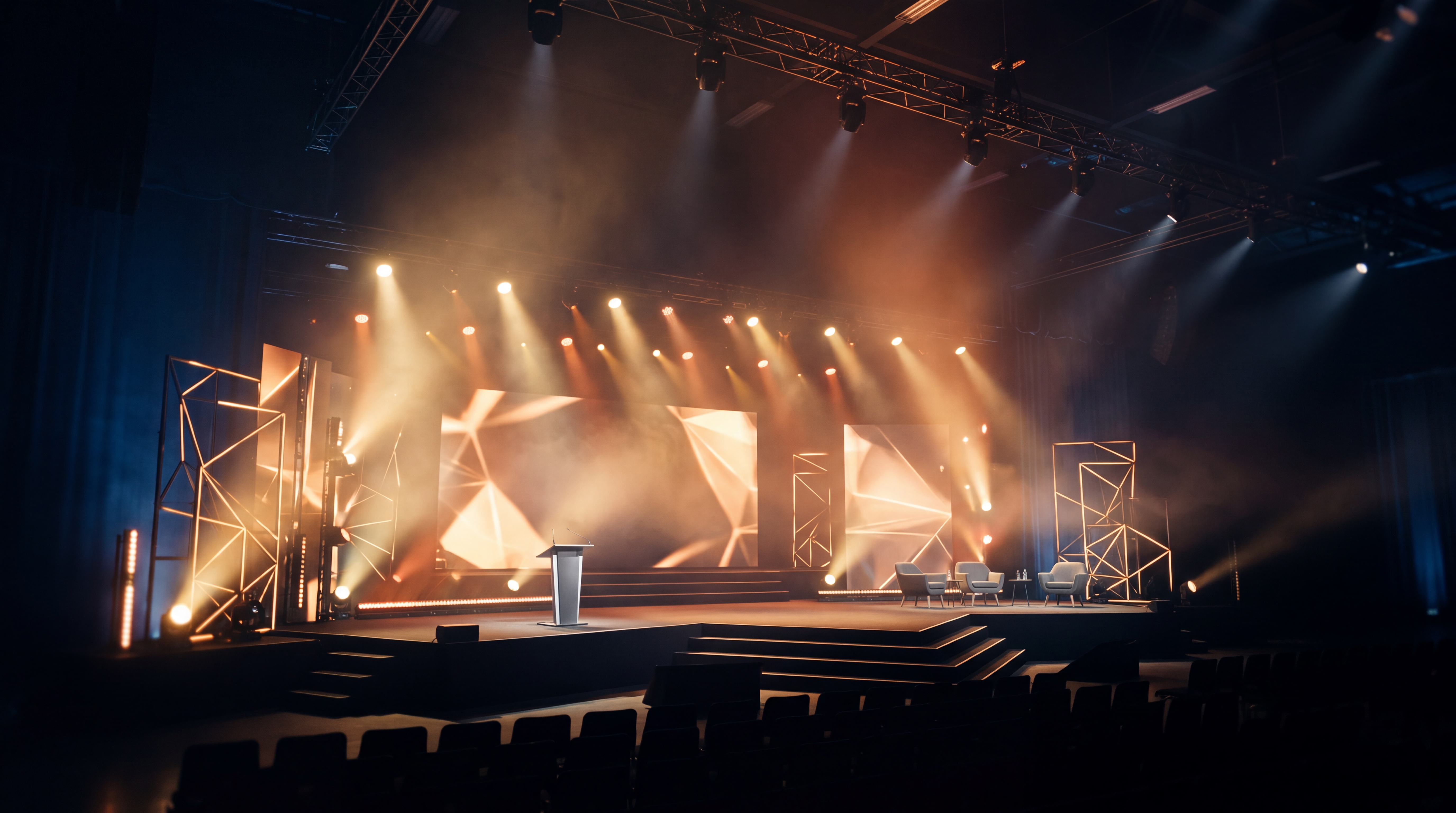
When creating promotional assets with Qiroq, the key is using AI video for high-impact visual atmosphere while keeping exact event details like dates, venue addresses, and ticket URLs in clear graphic overlays added during editing. AI video tools excel at movement, lighting, and mood, but generated video is not good at exact on-screen text, complex brand logos, or long continuous multi-scene shots. Combining generated b-roll with clean text overlays produces professional results in a fraction of the time.
4 High-Impact Video Formats for Event Launches
Successful event campaigns rely on multi-channel marketing across social media, email newsletters, and landing pages. Here are four essential video formats you can create using text to video prompts:
- High-Energy Teasers: 5- to 10-second opening clips featuring dynamic camera movements, flashing lights, or scenic reveals that grab attention instantly in social feeds.
- Venue and Mood Previews: Atmospheric visuals illustrating the tone of your gathering, such as a futuristic tech summit stage, an intimate lounge, or a vibrant rooftop networking party.
- Speaker and Topic Visual Loops: Abstract dynamic backgrounds or thematic b-roll designed to play behind speaker reveal graphics or key agenda announcements.
- Paid Social Promo Ads: Vertical or square video ads designed specifically for short-form feed placement, tailored to drive clicks to your registration page.
Crafting Prompts for Event Teasers and Ads
To generate compelling visuals for your event, describe the setting, lighting setup, camera motion, and audio environment in detail. For deeper advice on structuring your text descriptions, see our guide on writing effective video prompts.
Here are three proven prompt structures for event launch marketing:
- Tech Conference Opener: Dynamic wide angle shot, sleek auditorium stage with glowing blue and violet geometric lights, soft ambient fog, smooth dolly forward camera motion, cinematic, high contrast lighting. Audio of low synthesizer drone and quiet crowd murmur.
- Creative Workshop Teaser: Over-the-shoulder close-up of hands sketching on a tablet in a sunlit loft studio, shallow depth of field, warm morning light, slow camera pan, calm acoustic atmosphere with quiet ambient rustling.
- Music Festival Announcement: Aerial drone shot lowering over an outdoor stage at sunset, warm golden hour light reflecting off a crowd silhouetted against dramatic smoke effects, energetic bass audio rumble.
When generating clips on Qiroq, you can choose from available styles including Cinematic, Documentary, Anime, 3D Render, Vlog and Product. For fast social teasers, selecting duration options of 5, 10 or 15 seconds allows you to build punchy, multi-cut promotional videos effortlessly.
A Step-by-Step Workflow for Event Campaigns
Building an event marketing campaign with AI video works best when you break the production process into clear steps. If you are running performance marketing, you can also explore testing AI video ads across multiple audience segments.
- Outline Your Launch Schedule: Decide on your key milestone dates (for example: save the date, ticket presale, speaker announcements, and final week reminder). Each phase requires a distinct visual tone.
- Generate B-Roll and Background Clips: Log into Qiroq and generate 3 to 6 individual visual clips matching your event theme. Choose your preferred output quality across 480p, 720p and 1080p. For simple social posts, a 5-second 1080p clip costs 100 credits, while a 10-second clip costs 200 credits.
- Assemble the Cut in a Video Editor: Import your generated video files into any standard video editing software. Cut between shorter 2- to 3-second segments to keep the pacing brisk and engaging.
- Overlay Text and Branding: Add clear text layers displaying the event title, dates, city, and call to action (such as Register Now at the link in bio). Since AI video generators struggle with sharp typography, adding text in post-production ensures complete readability.
- Export and Format for Distribution: Export vertical 9:16 cuts for short-form social feeds and horizontal 16:9 cuts for website hero banners, email embedding, and YouTube.
Common Mistakes to Avoid in AI Event Prompts
Avoiding a few frequent pitfalls will save you time and preserve your credit balance during production:
- Prompting for exact text or dates inside the scene: Prompting for specific text on banners or signs usually produces distorted lettering. Generate clean background scenes instead and layer crisp text graphics over the finished clip.
- Expecting complex single-take scenes: AI generators are designed for short, cohesive actions. Avoid asking for multiple distinct actions in a single prompt. Instead, generate separate short clips and stitch them together.
- Ignoring native sound and audio cueing: Native sound creates immediate context. Always describe sound effects or music tone alongside your visual prompt to make your clips immediately engaging without extra royalty-free sound searching.
By taking advantage of prompt-based video generation, event marketers can produce slick, polished campaign visual assets in minutes while maintaining complete creative control over branding and messaging.
Frequently asked questions
- How do I add event dates and text to AI video promos?
- You should generate clean atmospheric backgrounds with Qiroq and overlay exact event details like dates and URLs using a standard video editor. AI video tools excel at lighting and mood, but generated clips struggle with sharp on-screen text or complex logos. Adding text in post-production ensures complete readability for viewers.
- How many credits does a 1080p promo video cost on Qiroq?
- A 5-second 1080p video clip costs 100 credits, while a 10-second 1080p clip costs 200 credits. Output options on Qiroq include resolutions of 480p, 720p and 1080p and durations of 5, 10 or 15 seconds. Using short b-roll clips helps keep production fast and credit costs manageable.
- What video formats can I generate for event promotion?
- You can generate high-energy launch teasers, venue previews, speaker reveal background loops, and vertical paid social ads. These dynamic b-roll formats can be exported in square, vertical, or horizontal layouts for various marketing channels. Combining these clips with text layers creates complete campaign assets.
- What mistakes should I avoid when prompting event promo videos?
- Avoid prompting for written text, dates, or logos inside the video scene, as AI models distort lettering. Do not ask for complex multi-action single takes in one prompt. Instead, generate separate short clips and describe audio context alongside visual prompts.