AI Video for Restaurants: Ideas That Drive Diners
Learn how to use AI video for restaurants to create mouth-watering food clips, cozy interior teasers, and social ads without hiring a camera crew.
By Qiroq team · Published
Using AI video for restaurants allows food creators, café owners, and digital marketers to produce high-impact social clips and digital menu teasers from simple text descriptions. Instead of coordinating complex lighting rigs, food stylists, and steam machines for a single dish shoot, you can generate mouth-watering clips of sizzling steaks, dripping sauce, or steam rising from freshly brewed coffee in minutes.
Why Restaurants Are Using AI Video Content
Visual content drives foot traffic and delivery orders. Diners make decisions with their eyes, and dynamic short-form videos perform significantly better on social platforms than static food photography. However, traditional food videography is notoriously expensive and time-consuming. Hot dishes cool down quickly under studio lights, ice melts rapidly, and staging a single signature cocktail shoot can take hours.
Generating video from text removes these logistical bottlenecks. Marketers can test multiple creative concepts for upcoming seasonal menus, generate eye-catching social teasers, and create dynamic advertising assets without closing down the kitchen for a filming day. When combined with realistic sound effects like sizzling pan sounds or pouring liquids through an AI video generator with audio, these short clips capture immediate attention in busy social feeds.
4 Mouth-Watering Shot Concepts with Prompts
To produce appetizing video clips, your prompts need specific visual cues: texture, motion, lighting, and camera proximity. Here are four practical shot concepts tailored for restaurants and cafés that you can adapt today.
- The Sizzle and Steam: Extreme close-up shot of a gourmet burger patty sizzling on a hot cast-iron skillet, steam rising delicately, glistening juices, macro lens depth of field, warm dramatic side lighting, Cinematic style.
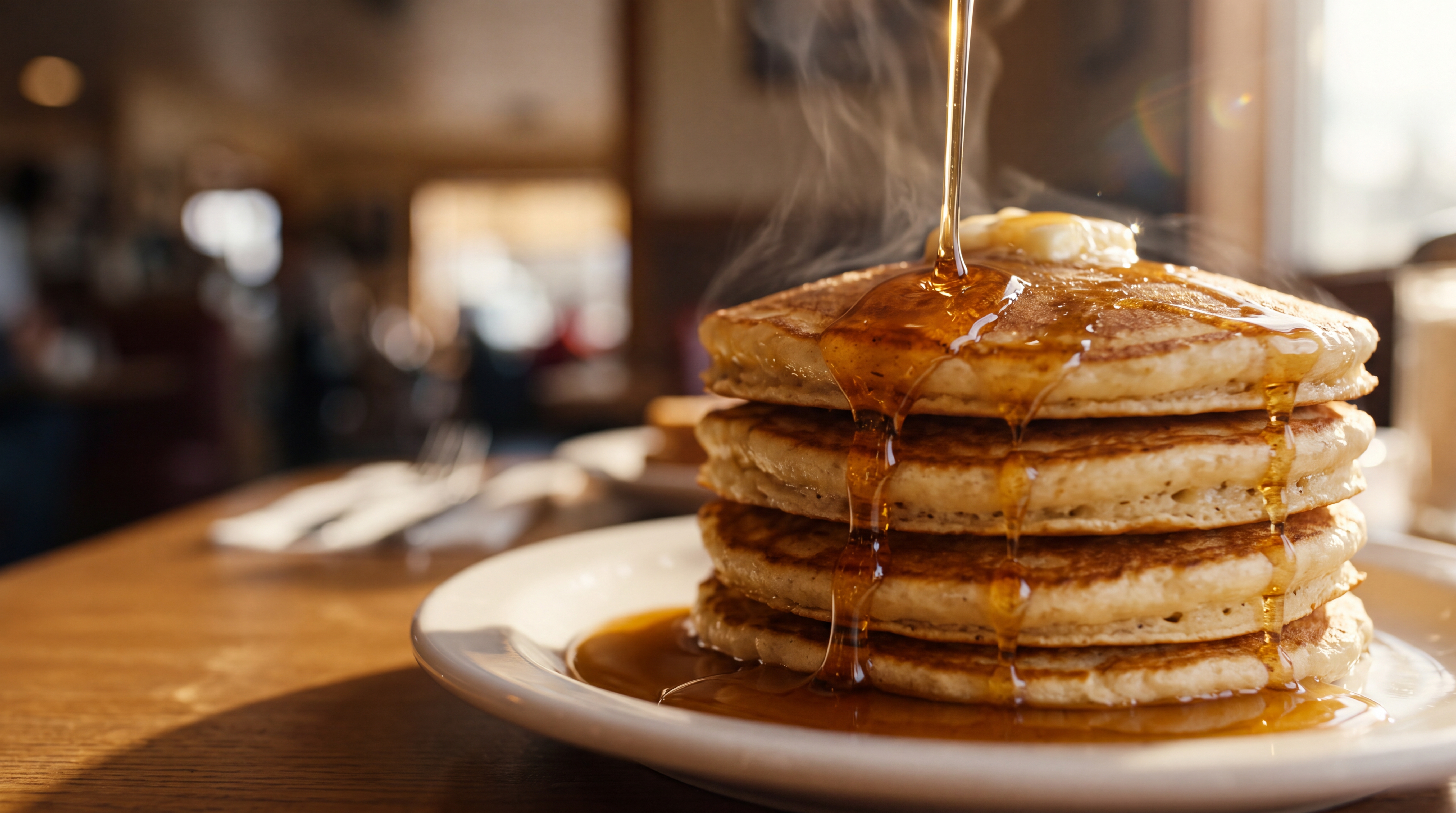
- The Slow Melt and Drizzle: Macro view of warm golden maple syrup being slowly poured over a tall stack of fluffy pancakes, thick syrup dripping over melting butter, soft morning sunlight through a window, Product style.
- The Signature Pour: Close-up shot of rich espresso pouring smoothly into a clear glass filled with ice cubes and milk, creamy swirl motion, chilled condensation beads on glass, bright clean coffee shop background, Vlog style.
- The Cozy Café Atmosphere: Slow camera pan across a warm, rustic café interior, golden string lights bokeh in the background, steam rising from ceramic mugs on wooden tables, cozy inviting atmosphere, Cinematic style.
How to Write Prompts That Render Great Food
AI video models respond best to concrete sensory terms rather than abstract praise. Words like delicious or tasty do not give the generator clear camera instructions, but terms like glistening, bubbling, golden-brown, and macro focus tell the engine exactly what physical traits to render.
When building your prompt, structure it around four core elements:
- Subject: The exact food or beverage, such as artisanal sourdough pizza with bubbly melted mozzarella.
- Motion: What is physically happening in the shot, such as steam gently wafting, cheese stretching, or chocolate drizzling.
- Lighting and Setting: The environment and exposure, such as soft window daylight, moody spotlight, or a rustic oak table.
- Style and Lens: Aesthetic chosen from options like Cinematic, Documentary, Anime, 3D Render, Vlog and Product available in Qiroq.
If you want to master prompt structure for consistent visual outputs across your menu items, review our detailed guide on how to write video prompts.
Practical Workflow for Restaurant Marketing
To integrate AI-generated clips into your marketing routine without wasting time, follow a simple structured process:
- Define your campaign goal: Decide whether you are promoting a weekend brunch special, announcing a seasonal drink line, or running targeted local video ads.
- Choose your clip duration: Select standard clip lengths of 5, 10 or 15 seconds depending on whether you need a quick pacing shot or a longer smooth motion.
- Generate multiple visual variations: Create two or three prompt variations focusing on different angles or lighting conditions to see which dish motion looks most natural.
- Add final branding: Import your clips into your preferred video editor to overlay your restaurant's logo, business hours, special promotional prices, or call to action.
- Export for social feeds: Format your finished edit into vertical aspect ratios for Instagram Reels, YouTube Shorts, or TikTok.
Knowing the Limits: What AI Video Can and Cannot Do
While text-to-video generators excel at texture, light, and motion, it is essential to understand their practical limitations when promoting food businesses.
First, text-to-video tools cannot reliably reproduce hyper-specific menu items down to the precise count of toppings or replicate an exact real-world logo onto a plate or cup. If your signature dish relies on a unique proprietary assembly that local customers recognize instantly, AI clips are best used for ambient background footage, ingredient close-ups, or mood-setting B-roll, rather than a line-for-line substitute for your main hero photos.
Second, keep clips focused on short, punchy movements. Longer continuous scenes can sometimes introduce slight distortion in fluid dynamics or food symmetry. Working with clip durations like 5, 10 or 15 seconds lets you cut together fast-paced, high-energy montages that hold viewer attention.
By pairing high-quality AI B-roll with your actual menu photography and brand logos, you can build a flexible content pipeline at a fraction of traditional production costs. For more ways small businesses are taking advantage of automated content, read our overview on AI video for small business marketing.
Frequently asked questions
- How do I write effective prompts for AI food videos?
- Focus on concrete sensory terms like glistening, bubbling, and macro focus rather than abstract words like delicious. Build your prompt around four core elements: the subject, physical motion, lighting and setting, and visual style.
- What video lengths and styles does Qiroq support?
- Qiroq supports clip lengths of 5, 10 or 15 seconds. You can choose from visual styles such as Cinematic, Documentary, Anime, 3D Render, Vlog and Product to fit your restaurant branding.
- Can AI video replace actual photos of my signature dishes?
- No, AI video generators cannot reliably reproduce hyper-specific menu items down to exact topping counts or logos. AI clips are best used for ambient B-roll, ingredient close-ups, and mood-setting background footage.
- Can I try Qiroq for restaurant video generation for free?
- Yes, you can sign up for a free account on Qiroq and receive 500 free credits with no credit card required. This allows you to test different prompts and shot concepts before upgrading.